Jarvis · desktop app
Talk to your computer. It answers, and it does the thing.
Open an app. Turn the volume down. What's the weather. Remind me at six. It replies out loud, in your language.
Windows and Linux — and it can run with no account at all. macOS is in testing.
What it does
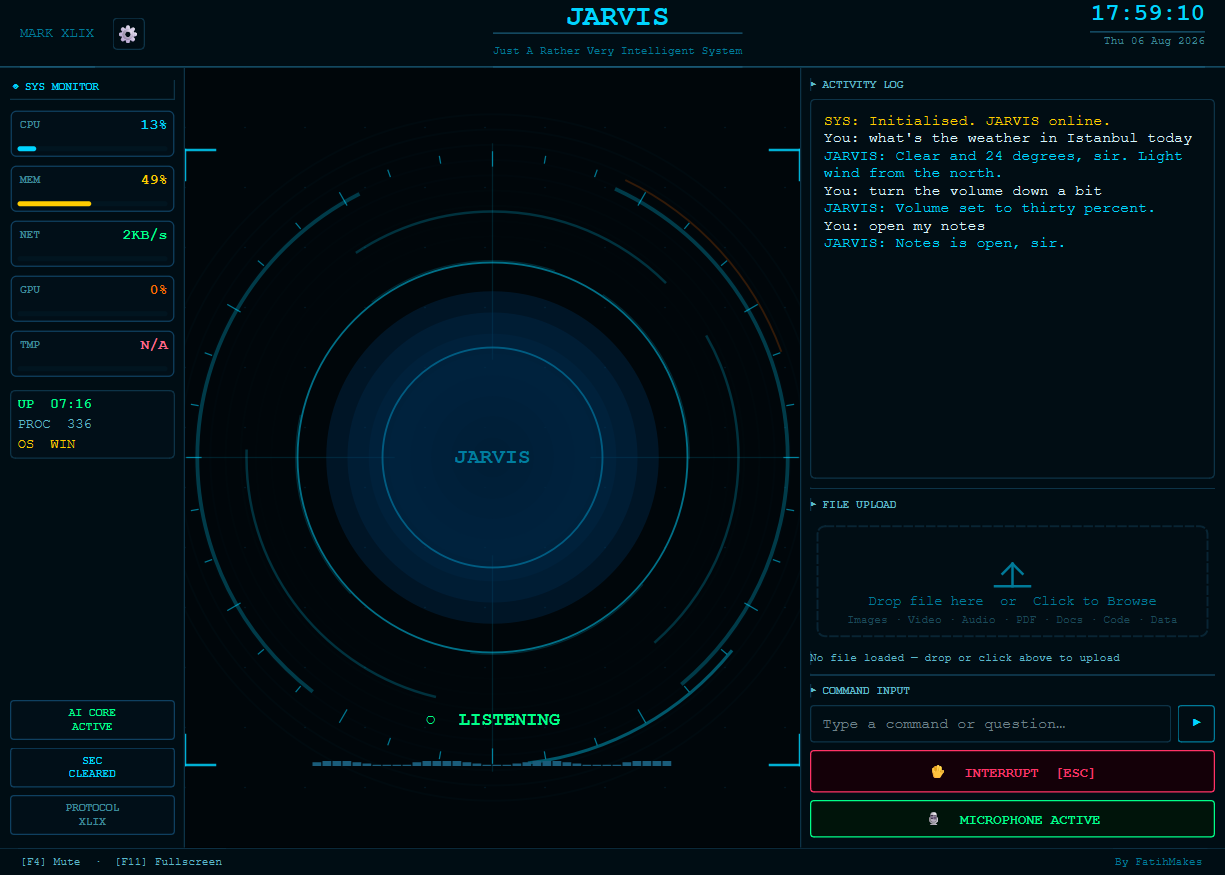
Runs your computer
Opens apps, volume, brightness, wifi, sleep.
Answers questions
Searches and tells you, instead of ten links.
Remembers you
Your city, your projects, yesterday's conversation.
Reminders & messages
By voice, without touching the keyboard.
Watches its health
Warns you when it's running hot or low on memory.
Sees your screen
"What is this error?" — optional, off in private mode.
What you get
Eight and a half thousand lines of our own code, built on speech and browser engines that are free to use commercially. One download, one installer, three operating systems.
- ✓Works offline
Speech recognition, the model and the voice all run on your machine. Unplug the network and it keeps working. Nothing you say is sent anywhere.
- ✓It won't do what you didn't ask
Small models make things up. One answered "turn the volume down" by trying to shut the computer off. Ours refuses anything that powers down or clicks inside another program unless you said so.
- ✓Speaks first when it matters
Battery about to die, disk nearly full, the internet back. A morning summary with the weather and your list. Quiet at night, and switchable off.
- ✓Set up for your machine
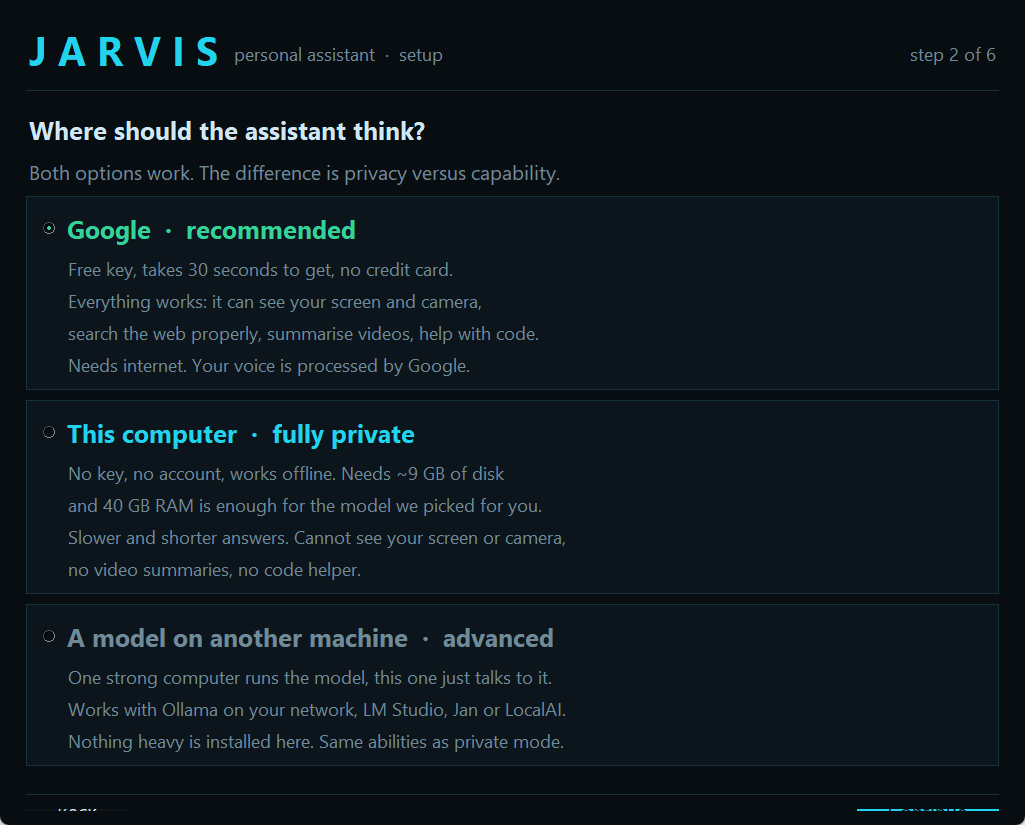
Reads your memory and graphics card and picks a model that will actually run well, instead of one that crawls.
It configures itself to your machine
The app reads your hardware, works out which model your machine can actually run, and puts everything in place itself.
Afterwards its diagnostics tell you what works — microphone, camera, sound — and how to fix anything that doesn't.
Choose its voice by listening
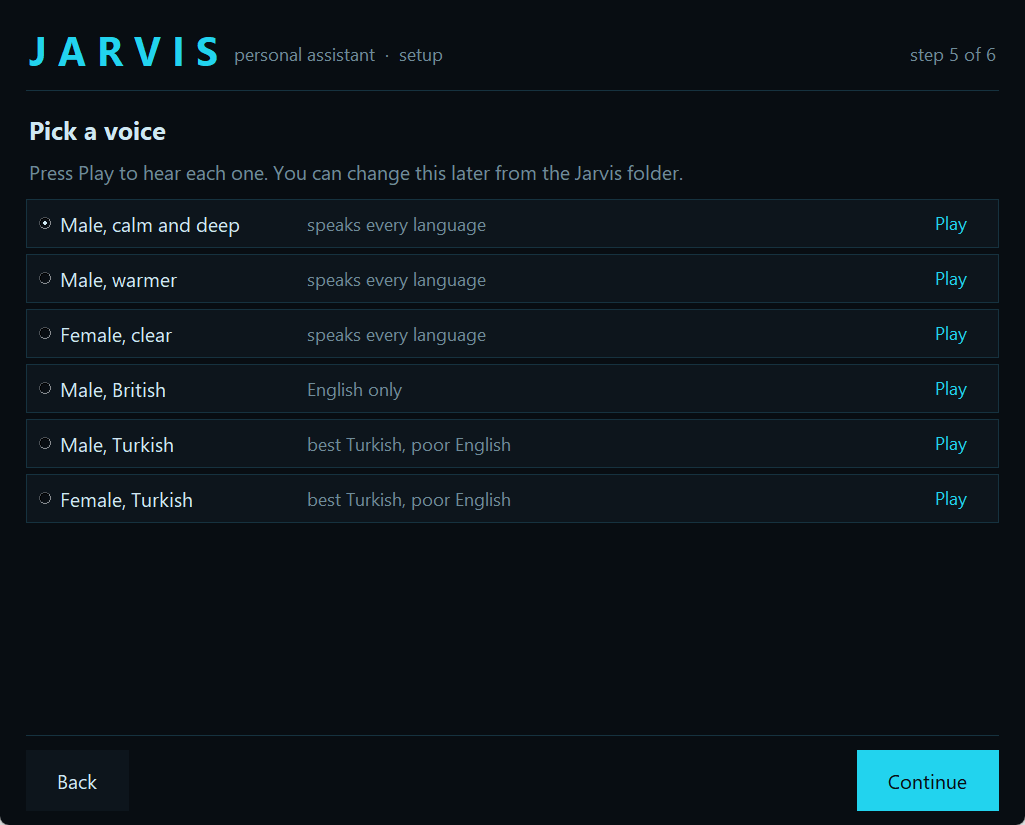
Press Play, hear it, pick it. Male or female, English-only or one that speaks your language back to you.
It can run with no account, and no internet
Most assistants send your voice to a company. This one doesn't have to.
| Full | Private | |
|---|---|---|
| Talking and listening | Yes | Yes |
| Running your computer | Yes | Yes |
| Reminders, messages, web search | Yes | Yes |
| Seeing your screen | Yes | No |
| Needs internet | Yes | No |
| Needs an account | Free Google key | None |
| Anything leaves your computer | Your voice | Nothing |
Private mode wants 8 GB of memory. The app tells you what your machine fits.
"Is this safe to download?"
Good question. You should ask it about every download. Here's how you can check us instead of trusting us.
- ✓It isn't a program — it's readable text
Open it in Notepad and read every line before you run it. No hidden installer, nothing compiled.
- ✓Nothing is hidden from you
Show it to a friend who knows computers before you run it. Every line is there in plain sight, and it does exactly what this page says.
- ✓Scanned by 70+ antivirus engines
We publish the scan result for every release. See the scan.
- ✓Nothing you say leaves your computer
With the local brain there is no account, no key and no server of ours. Every component it uses is listed in the download, with its licence.
- ✓A real refund, not a promise
Bought through a payment platform, not a bank transfer to a stranger. If it doesn't run, you get your money back.
About macOS
The app is built for macOS too, but we haven't run it on a real Mac yet, so we don't claim it as supported. If you're on a Mac and want to be first, write to us: you get it free, and we get it tested.
One price, yours to keep
Yours to keep, for every computer you own.
$29 once
- ✓
Windows and Linux, yours to keep
- ✓
Video of the whole thing, start to finish
- ✓
Offline engine, diagnostics, voice chooser, one-click removal
- ✓
Free updates, and a refund if it won't run on your machine
One payment. Yours to keep, on every computer you own.
Questions
Do I need an account or a key?
No. Private mode runs entirely on your computer — no account, no internet. A free Google key is optional, and only adds seeing your screen.
What can it actually do?
Open and close programs, change volume and brightness, control the music, type for you, manage windows and files. Answer questions by reading real web pages. Watch a subject and tell you when it changes. Set reminders that survive a restart. Look at your screen. Run from your phone. Around eighty things in all, and it speaks every language the speech model does.
Is my voice sent anywhere?
In private mode, nothing leaves your computer. In full mode your voice goes to Google, like any voice assistant. Nothing ever comes to us.
What do I need?
A microphone, 5 GB of free space, and internet while it installs. Private mode wants 8 GB of memory.
What if it won't run?
Send us what the diagnostics reported. If we can't get it running, you get your money back.